
Trent University
MyTrent
  • Peterborough
  • Durham GTA
  • Campus Locations
    • Peterborough
    • Durham GTA
    • Online
  • Academics
    • Undergraduate Programs
    • Graduate Programs
    • Trent Online
    • Summer Courses
    • Continuing Education
    • Study Abroad
    • Academic Calendar
    • Academic Timetable
    • Academic Skills Centre
    • Academic Advising
    • Library
    • Centre for Teaching and Learning
  • Admissions
    • Undergraduate
    • Thinking of Applying
    • Already Applied
    • Received an Offer
    • Accepted My Offer
    • Graduate
    • International
    • Indigenous
    • Returning to Trent
    • Transfer
  • Services & Support
    • Academic Advising
    • Academic Skills Centre
    • Administrative Departments
    • Alumni Services
    • Athletics
    • Campus Security
    • Careerspace
    • Colleges
    • Communications
    • Conferences
    • Financial Aid
    • Financial Services
    • Health & Wellness
    • Indigenous Services
    • Information Technology
    • International Students
    • Learning Support
    • Parking
    • Printshop
    • Recruitment
    • Registrar's Office
    • Residence & Housing
    • Student Clubs
    • TrentU Card
  • Research
    • Research at Trent
    • Research Centres
    • Find an Expert
    • Resources
  • Give to Trent
  • About Trent
    • About Trent
    • Careers
    • Giving to Trent
    • Governance
    • How to Find Us
    • Media
    • News & Events
    • President's Office
    • Staff Directory
    • Trent Facts
    • Contact Us
  • Future Students
    • Undergraduate
    • Thinking of Applying
    • Already Applied
    • Received an Offer
    • Accepted My Offer
    • Graduate
    • International
    • Indigenous
    • Returning to Trent
    • Transfer
  • Current Students
  • The Colleges of Trent
  • Alumni
  • Indigenous Resources and Initiatives
  • Apply
  • Visit
  • Give
  • Peterborough
  • Durham GTA
  • Map
  • Careers
  • Directions
  • Library
  • Site Map
  • Bookstore
Skip to main content Home
  • Peterborough
  • Durham GTA
  • Online
  • MyTrent
MENU
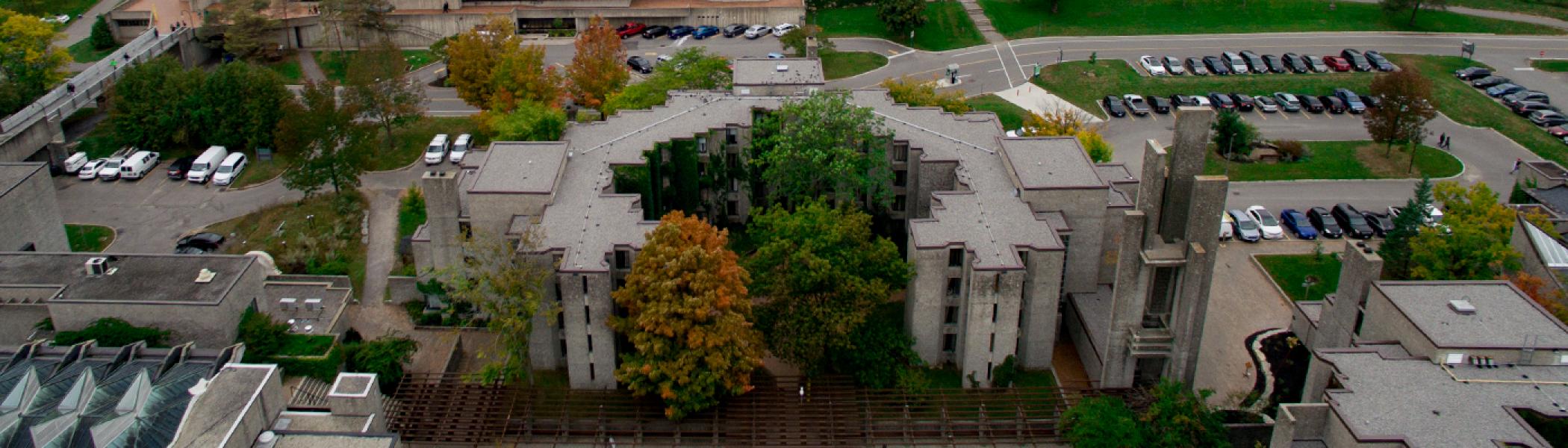
Champlain College photographed from above
Trent University
Parking
  • Welcome
  • Parking Permits & Fees
    • Parking Fees
    • Durham Parking
    • Athletics Centre Parking
    • Visitor Parking
    • Overnight Parking
    • Accessible Parking
  • Parking Policies
  • Parking Tips
    • "How to" Instructions
    • Frequently Asked Questions
    • Parking Tips
  • Sustainable Alternatives
    • Electric Charging Stations
    • Alternative Transportation
  • Contact Us
  1. Trentu.ca
  2. Parking
  3. Parking Tips
  4. "How to" Instructions

"How to" Instructions

If you have any additional questions please feel free to reach out to our Parking Office. 

How to Register for Parking

Printable Instructions can be found here.

You only need to create one account; you do not need to create a new one every year. If you have forgotten your password, please select the "forgot password" option and it will send you a link to create a new one.  If you have forgotten your email, please contact Parking Services at parking@trentu.ca and include your full name and student/staff number. 


How to Complete an Appeal
  1. Login or create an account: https://trentu.parkadmin.com/login 

  2. Select the appeals tab

  3. Select the Request an Appeal tab

  4. Enter the appeal reason in the Reason for Appeal space and then hit Submit Appeal. 

  5. You will be sent a response within 7 business days.


How to Update Vehicle Information
  1. Log in to our Parking Portal to manage your account https://trentu.parkadmin.com/login

  2. Enter your username and password

  3. You will see a tab called “Vehicles”, select tab. A disclaimer will appear, select “I agree”.

  4. From here you can add a new vehicle or edit your existing ones.  

    • You can not change your licence plate number. If the vehicle is still the same but you have new plates, you will have to add a new vehicle and make the old one “inactive”.

    • When selecting your plate type please select “Passenger” unless you require a different plate type such as Motorcycle or Dealership.  

  5. Once this is complete, your vehicle is safe for Licence Plate Recognition parking in your eligible zones.

How to Pay a Parking Ticket Anonymously
  1. Click on this link for the steps to pay a ticket online anonymously without having to create an account. Anonymous Payment

Online payments can be made with Visa or MasterCard.  Visa Debit will not work, and payment will not process if using Safari. 

Action Menu

  • Register for Parking
  • Log In
  • Pay Your Parking Ticket here
  • UPDATED PARKING MAP

Related Links

  • Access Control
  • Campus Security
  • Risk Management
  • Health and Safety
Trent University Logo

Trent University respectfully acknowledges it is located on the treaty and traditional territory of the Mississauga Anishnaabeg. We offer our gratitude to First Peoples for their care for, and teachings about, our earth and our relations. May we honour those teachings.

The Campaign For
Momentous
Action Research Leadership Debate Performance Connection Discovery Ideas Places Stewardship Support Possiblity

Peterborough

1600 West Bank Drive
Peterborough, ON Canada, K9L 0G2

Toll Free: 1-855-MY-TRENT

Find Us

Durham Greater Toronto Area

55 Thornton Road South
Oshawa, ON Canada, L1J 5Y1

Phone: 905-435-5100

Find Us

Social Media Directory
  • Contact
  • Directions
  • Site Map
  • Accessibility
  • Privacy
  • @ Copyright 2026 Trent University