
Trent University
MyTrent
  • Academics
    • Undergraduate Programs
    • Graduate Programs
    • Trent Online
    • Summer Courses
    • Continuing Education
    • Study Abroad
    • Academic Calendar
    • Academic Timetable
    • Academic Skills Centre
    • Academic Advising
    • Library
    • Centre for Teaching and Learning
  • Admissions
    • Undergraduate
    • Thinking of Applying
    • Already Applied
    • Received an Offer
    • Accepted My Offer
    • Graduate
    • International
    • Indigenous
    • Returning to Trent
    • Transfer
  • Services & Support
    • Academic Advising
    • Academic Skills Centre
    • Administrative Departments
    • Alumni Services
    • Athletics
    • Campus Security
    • Careerspace
    • Colleges
    • Communications
    • Conferences
    • Financial Aid
    • Financial Services
    • Health & Wellness
    • Indigenous Services
    • Information Technology
    • International Students
    • Learning Support
    • Parking
    • Printshop
    • Recruitment
    • Registrar's Office
    • Residence & Housing
    • Student Clubs
    • TrentU Card
  • Research
    • Research at Trent
    • Research Centres
    • Find an Expert
    • Resources
  • Give to Trent
  • About Trent
    • About Trent
    • Careers
    • Giving to Trent
    • Governance
    • How to Find Us
    • Media
    • News & Events
    • President's Office
    • Staff Directory
    • Trent Facts
    • Contact Us
  • Campus Locations
    • Peterborough
    • Durham GTA
    • Online
  • Future Students
    • Undergraduate
    • Thinking of Applying
    • Already Applied
    • Received an Offer
    • Accepted My Offer
    • Graduate
    • International
    • Indigenous
    • Returning to Trent
    • Transfer
  • Current Students
  • The Colleges of Trent
  • Alumni
  • Apply
  • Visit
  • Give
  • Peterborough
  • Durham GTA
  • Map
  • Careers
  • Directions
  • Library
  • Site Map
  • Bookstore
Skip to main content Home
  • Peterborough
  • Durham GTA
  • Online
  • MyTrent
MENU
Trent university East Bank View from west bank
Trent University
Human Resources
  • Welcome
  • Employment Opportunities
  • Why Work at Trent
  • Human Resources Services
  • Policies & Forms
  • VIP
  • Contact
  1. Trentu.ca
  2. Human Resources
  3. VIP Training - Manager Portal Metrics

VIP Training - Manager Portal Metrics

This page outlines how to generate Metric reports under the VIP Manager portal section.

The Metrics Section allows Managers to produce various reports.

VIP Metrics Function Location

There are three categories of reports:

Current – Reports on information from the last 6 months

Last 12 months - Reports on information from the last 12 months

Last 5 years - Reports on information from the last 5 years
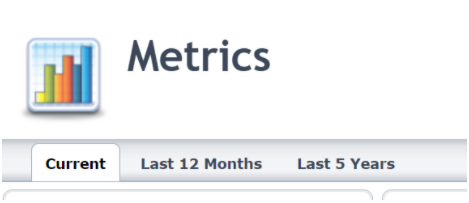
VIP Metrics Types

Current metrics include information on:

  • Employee distribution
  • Gender distribution
  • Age distribution
  • Pay equity
  • Retirement projections

Under each of the metric summary header there are various reports that can be pulled:

For example:

The metric for Employee Distribution by Employee Type under the Employee Distribution summary shows you the following report
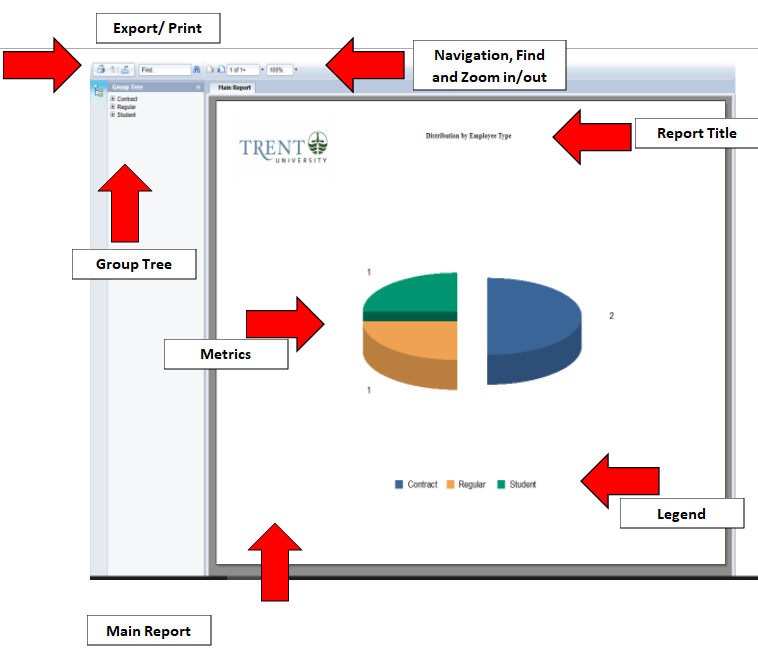
VIP Metric Report Overview

Each report generated has the following sections

Main report:
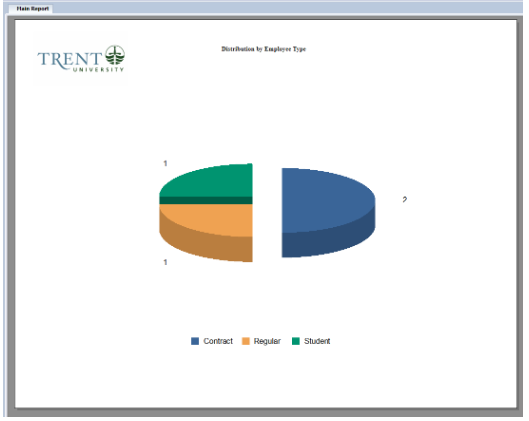
VIP Metric Report - Main Report


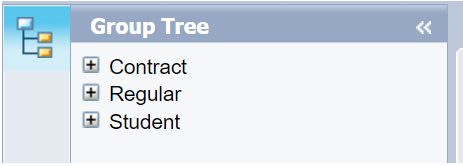
Group Tree:

VIP Metric Report - Group Tree

The group tree is expandable to show more information:
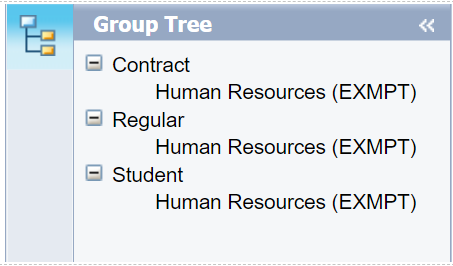
VIP Metric Report - Group Tree Expanded

To the right of “group tree” if you click the left-pointing arrows this will hide this section of the report.  

To un-hide click on the group tree icon VIP Metric Report =- Group Tree Icon to the right of “group tree”


Metrics:

The reports generated are dynamic reports which are clickable. When a feature of the report is clickable the mouse cursor will change to include an arrow with a black left-pointing arrow under it.

In the above example report, the following are clickable sections:

The legend and

The pie chart

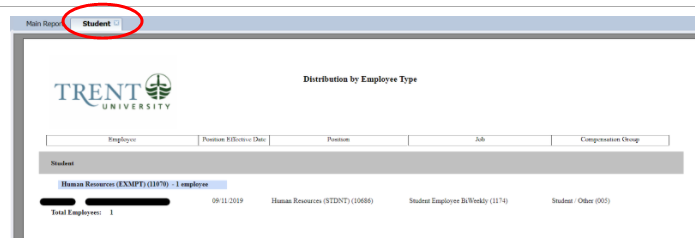
If you click on either of the mentioned sections the report will open a new page of the report and show you the information for what you clicked on

In this example, the green slice of the pie was clicked (you would get the same result if you clicked on “student” in the legend):

A new page “student” was opened
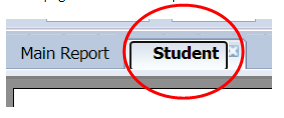
VIP Metric Report - Second Page Report

VIP Metric Report - Second Page Report Overview


Export and Print:

To print the report, in the top right-hand corner, click on the printer iconVIP Metric Report - print icon.

To export the report in the top right hand, click on the icon with an arrow pointing to the left VIP Metric Report - Export Icon.

Navigation, Find and Zoom in/out:

To scroll through the different pages of the report you can use the page icons with a left or right arrow VIP Metric Report - Scrolling Icon.

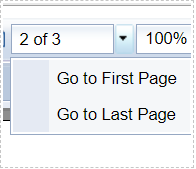
Next to the page arrows, you are shown the page numberVIP Metric Report - page number. The drop-down menu next to the page number display allows you to go to the first or last pageVIP Metric Report - Page number Drop-down menu .
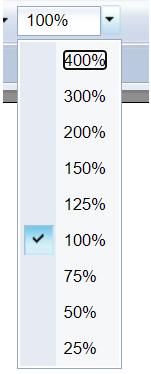
Next to the page number display is the zoom percent of the reportVIP Metric Report - Zoom function, to adjust use the drop-down menu (below) or manually change the %  VIP Metric Report - Zoom Drop-down.

Action Menu

  • 50/50 Employee Raffle Draw
  • Anonymous HR Feedback Submission
  • Heart of Trent Awards

Related Links

  • VIP - For Employees & Managers
  • Health and Safety
  • Human Rights, Equity & Accessibility
  • International Travel Security
  • Heart of Trent Event
Trent University Logo

Trent University respectfully acknowledges it is located on the treaty and traditional territory of the Mississauga Anishnaabeg. We offer our gratitude to First Peoples for their care for, and teachings about, our earth and our relations. May we honour those teachings.

The Campaign For
Momentous
Action Research Leadership Debate Performance Connection Discovery Ideas Places Stewardship Support Possiblity

Peterborough

1600 West Bank Drive
Peterborough, ON Canada, K9L 0G2

Toll Free: 1-855-MY-TRENT

Campus Map

Durham Greater Toronto Area

55 Thornton Road South
Oshawa, ON Canada, L1J 5Y1

Phone: 905-435-5100

Campus Map

Social Media Directory
  • Contact
  • Directions
  • Site Map
  • Accessibility
  • Privacy
  • @ Copyright 2025 Trent University