

Frequently Asked Questions:
I've submitted my photo, but don't see my photo on the app.
It may take up to 30 minutes after your photo has been approved to appear on the app.
My Activation Failed?
If you received an email your activation failed please confirm you are eligible for a Mobile TrentU Card.
If you believe you are eligible for a Mobile TrentU Card, please email campuscard@trentu.ca.
I am not getting the Activation email in time.
Add no-reply@avrocustomer.com to your safe sender list in Outlook.
https://support.microsoft.com/en-us/outlook/mail/add-recipients-to-the-safe-senders-list-in-outlook
I have a TrentU card already, can I get the App?
If you have a TrentU card already that is still your student card and you do not also get the app.
If you lose your card and would like the app instead of a replacement card, you can select that when you are ordering a replacement card online.
When I try to install the app, I get a notification stating "This item is not available in your country"
If you are currently in Canada but get this notification message, change your phone location to Canada. You can find instructions to change your country location on a Google Play or Apple device online.
I need my Mobile TrentU Card to get into a lab or another Door on campus.
You will need to contact campuscard@trentu.ca to add an HID credential onto your card for door access, that can be programed for door access.
Where do I find my Student number on my App?
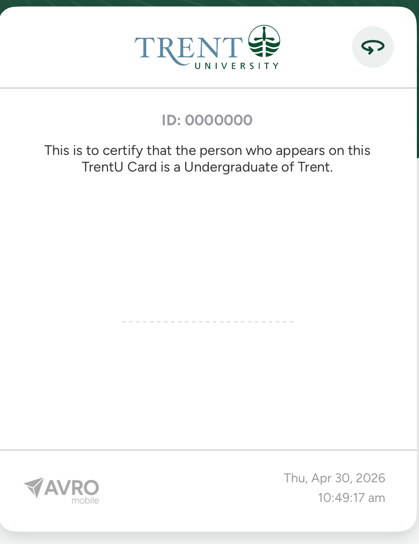
Click the arrow on the top right of your Mobile ID to get to the Back of the Card.
On the back of your Mobile ID you student number will be at the top. Example from this picture ID:0000000.
Where do I find my Card Number?
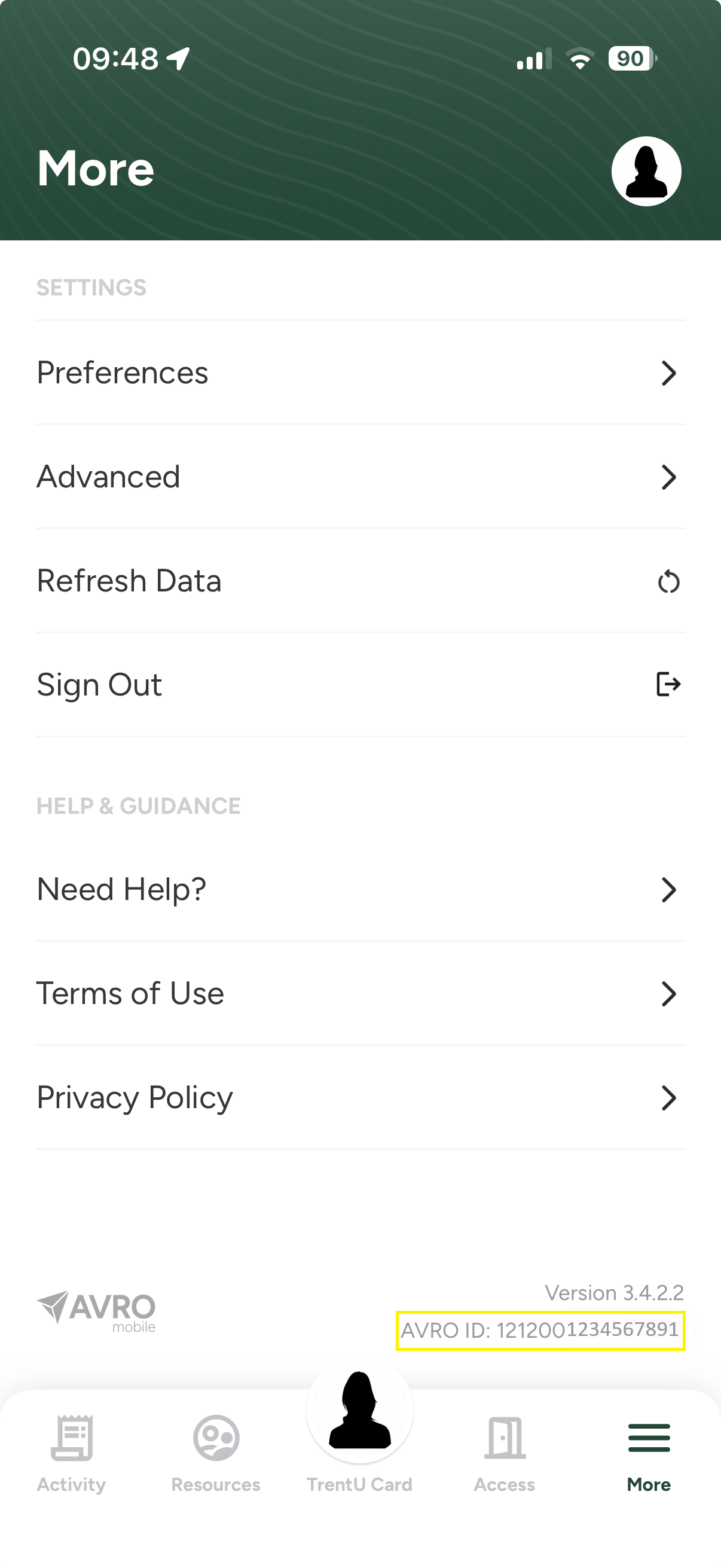
Click "More" in the bottom left corner to find your mobile card number.
Where do I find my HID Number for Door Access?
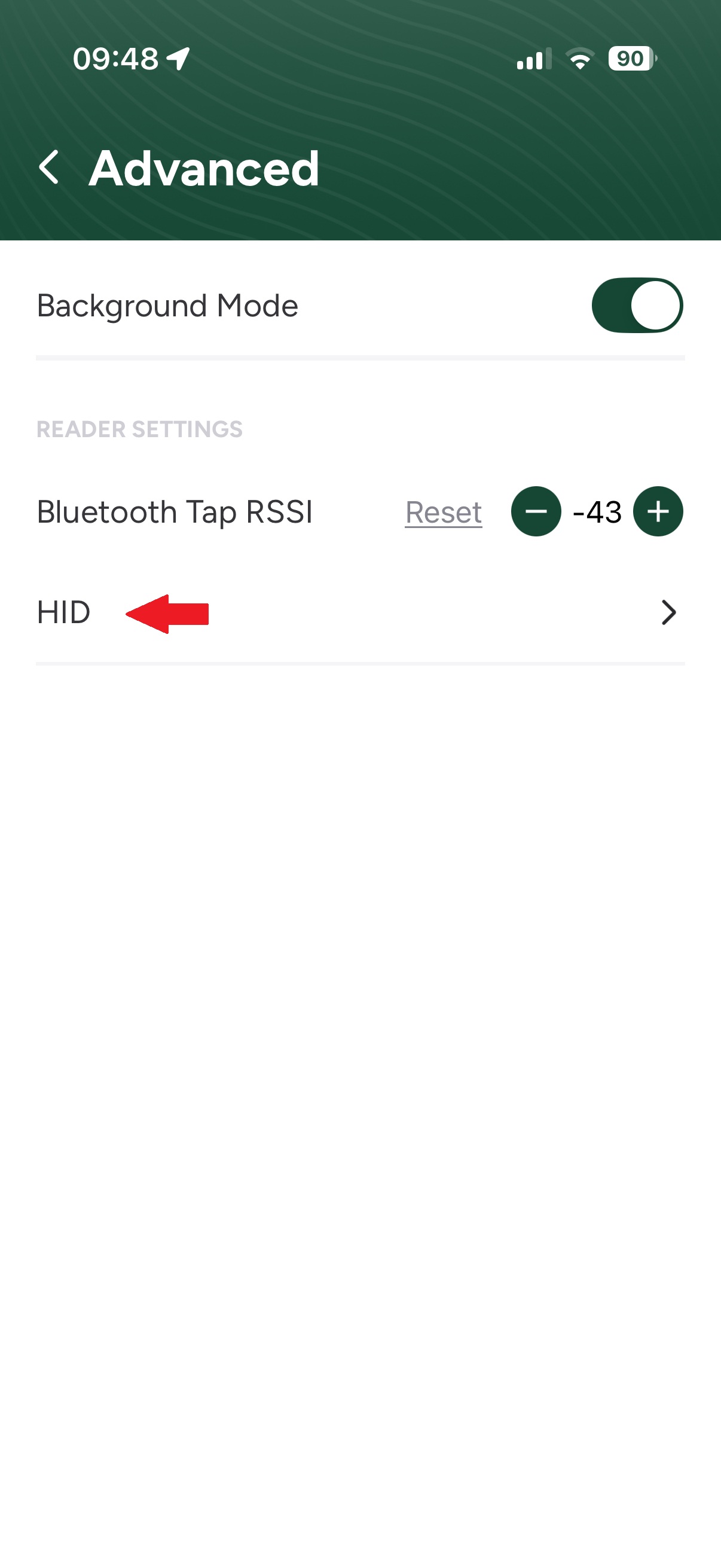
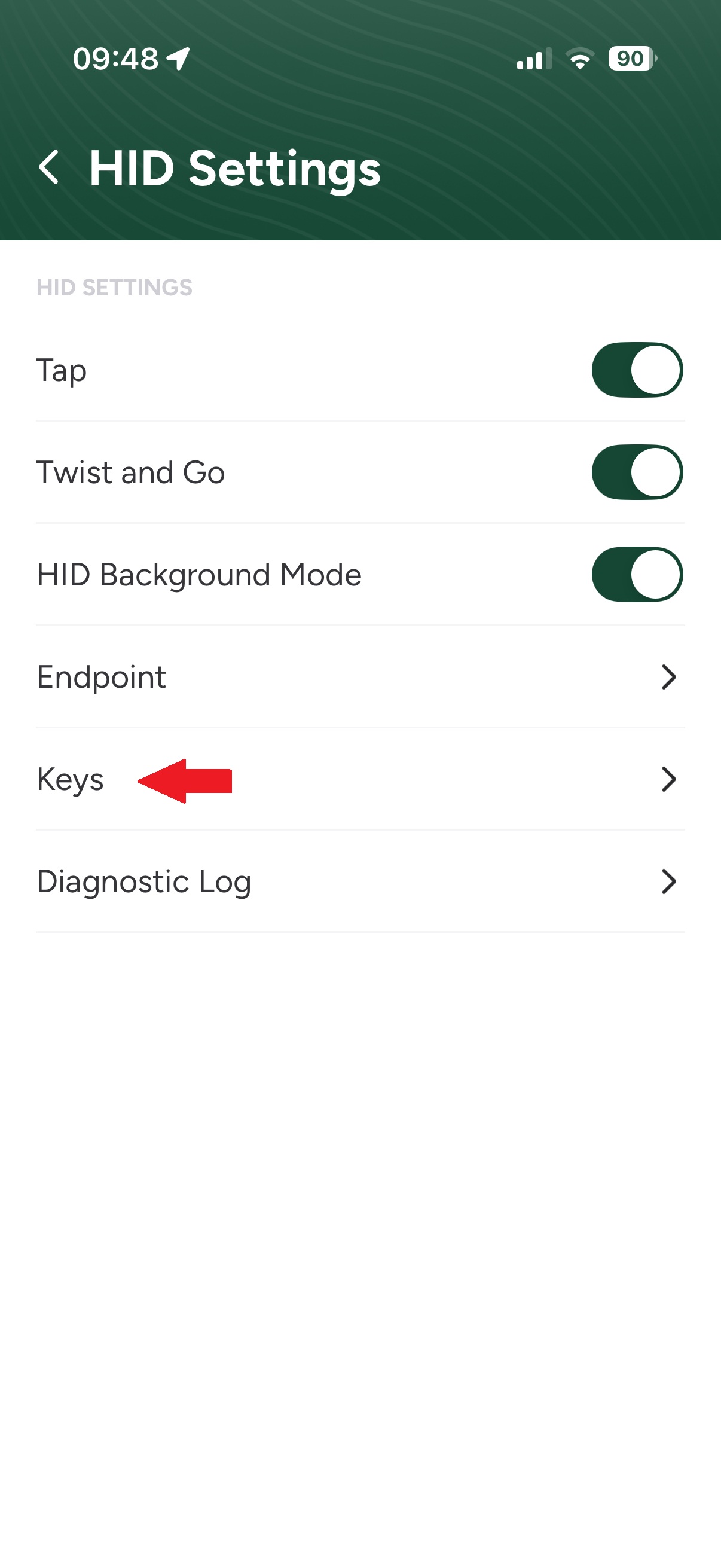
In the More Tab select Advanced, then HID, then Keys and your HID number is the 6 digit listed beside Card Number.
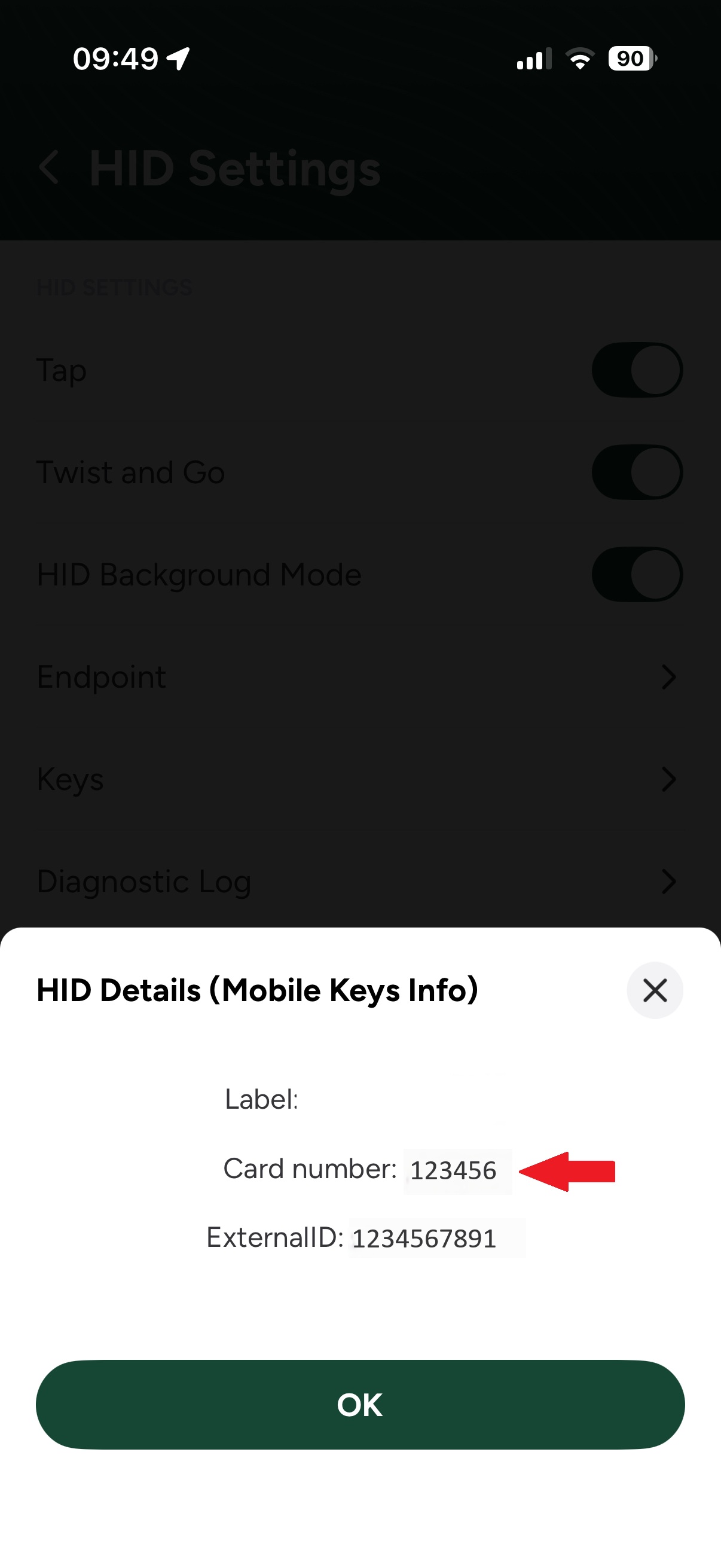
What is the difference between my Mobile Card Number and my HID number?
Everyone has a Mobile Card Number. This is the number that is used for your Dining plan, Trent Cash, Gym Access, at the Library and anywhere else on campus that is not a door access reader.
Only students requiring Door Access will have an HID number added. The HID number is what the Door Readers read.
Why do I see charges from Trent University in my Activity tab?
Anytime we manually process a transaction onto your TrentU Card, it will show up as Trent University. These could be for Boost Fees, SkipTheDishes Orders, prizes added onto your Trent Cash, refunds and many other reasons.
Can I use my Mobile Card as ID for Exams?
No. You will need to pick up an Exam Only card from the Card Office in Peterborough, or the Durham Campus Print (Room A146) in Durham. Please visit the Exam Only Card tab for more details.